Quick takeaways
- An AI support bot should use approved answers and clear escalation instead of guessing about paid access.
- The planning work should answer common support questions while routing membership, billing, identity, refund, and access changes to reviewed workflows.
- Useful proof includes approved Q&A, source notes, membership status, Telegram identity, support owner, escalation rule, and answer confidence.
- Claim boundaries matter: avoid letting AI invent payment status, access eligibility, refund decisions, or private policy that is not in the approved knowledge base.
Plan a Telegram AI support bot for paid communities with Q&A-backed answers, membership lookup boundaries, escalation, and access-safe support workflows.
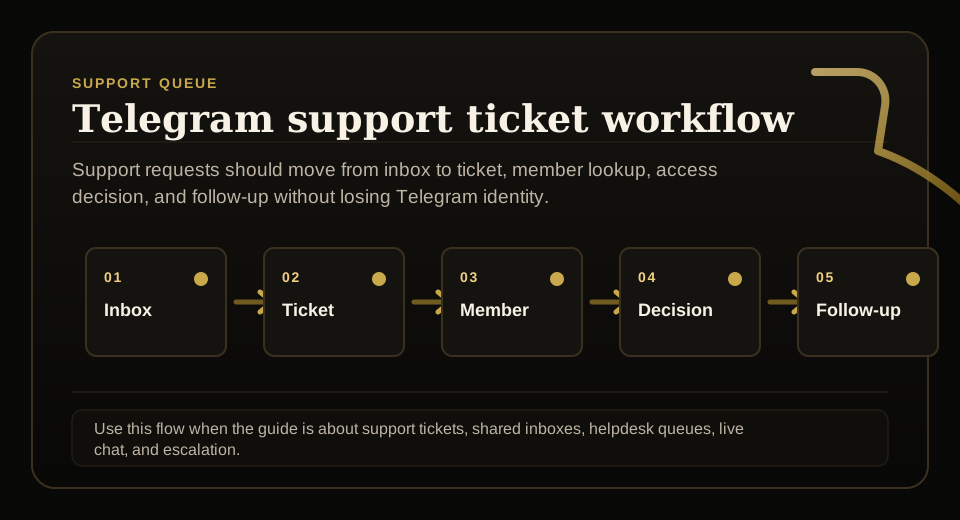
Use this guide when support requests, tickets, shared inboxes, live chat, or escalation rules need to stay tied to membership status before access changes.
Next read: Telegram Customer Service Bot for Paid Communities.
How this guide was produced
Every guide is written for the same paid-access workflow: payment evidence, Telegram identity, plan status, support lookup, and expiry enforcement.
Published by KickThemBot from product documentation, launch runbooks, integration tests, and paid-access operating procedures.
Support-operations planning: request intake, ticket state, assignment, SLA, member lookup, Telegram identity, escalation, and access outcome. Automation may assist drafting and page generation; indexed guides are selected for a distinct user job and reviewed against the documented workflow. Claims avoid fake rankings and hidden guarantees.
To help admins make a safer access decision before moving members, payments, invite paths, or expiry rules.
Implementation steps
- Define the support scope: answer common support questions while routing membership, billing, identity, refund, and access changes to reviewed workflows.
- Build the evidence and answer source: approved Q&A, source notes, membership status, Telegram identity, support owner, escalation rule, and answer confidence.
- Separate public answers, VIP/member support, technical troubleshooting, and access changes before launch.
- Set the safety boundary: avoid letting AI invent payment status, access eligibility, refund decisions, or private policy that is not in the approved knowledge base.
Define what the support bot is allowed to answer
A Telegram support bot should begin with scope, not with a generic prompt.
For this AI support planning guide, the team should answer common support questions while routing membership, billing, identity, refund, and access changes to reviewed workflows.
Use reviewed answers and visible sources
The safest support automation starts from owner-reviewed answers, policy notes, and clear no-answer fallbacks.
The useful support evidence is approved Q&A, source notes, membership status, Telegram identity, support owner, escalation rule, and answer confidence.
Escalate membership and billing decisions
Paid Telegram support often requires membership status, Telegram identity, payment evidence, and owner judgment.
The bot can collect context and route the case, but access restores, refunds, VIP exceptions, and sensitive promises should follow reviewed workflows.
Prevent unsupported AI support claims
KickThemBot planning references Mr. Chatter-style support boards and Q&A-backed setup, but the website should not pretend AI can safely decide every member case.
The page should avoid letting AI invent payment status, access eligibility, refund decisions, or private policy that is not in the approved knowledge base.
FAQ
What is Telegram AI support bot for paid communities?
It is a Telegram support assistant that answers approved questions and escalates paid-access decisions instead of guessing from chat context.
Should an AI support bot change Telegram access automatically?
Not by default. It should collect context and escalate account-specific access changes unless the membership source of truth, policy, and permissions clearly support the action.