Quick takeaways
- Scheduled posts and lifecycle reminders should be designed separately.
- Paid groups need reminders tied to member status, expiry, failed payments, and renewal state.
- A generic scheduled message can confuse members if it ignores plan, timezone, or payment status.
- Reminder logs should feed support lookup and retention reporting.
Compare a Telegram scheduled message bot for paid groups by renewal reminders, onboarding messages, failed-payment notices, lifecycle timing, support context, and access-state accuracy.
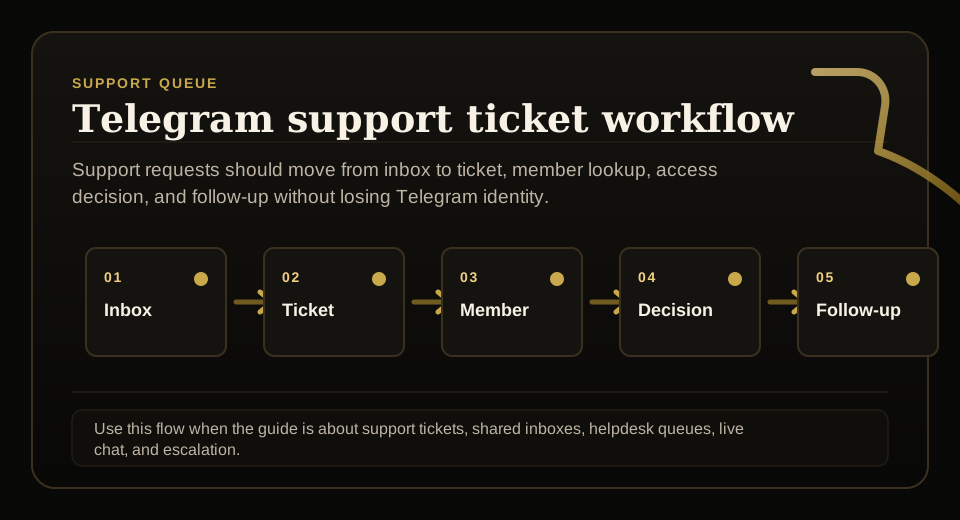
Use this guide when support requests, tickets, shared inboxes, live chat, or escalation rules need to stay tied to membership status before access changes.
Next read: Telegram Renewal Reminders That Reduce Accidental Churn.
Telegram Group Management Tools: A Use-Case Comparison
This guide stays focused on Telegram scheduled message bot for paid groups. See Telegram group management tools for the full picture.
How this guide was produced
Every guide is written for the same paid-access workflow: payment evidence, Telegram identity, plan status, support lookup, and expiry enforcement.
Published by KickThemBot from product documentation, launch runbooks, integration tests, and paid-access operating procedures.
Support-operations planning: request intake, ticket state, assignment, SLA, member lookup, Telegram identity, escalation, and access outcome. Automation may assist drafting and page generation; indexed guides are selected for a distinct user job and reviewed against the documented workflow. Claims avoid fake rankings and hidden guarantees.
To help admins make a safer access decision before moving members, payments, invite paths, or expiry rules.
Implementation steps
- Separate community announcements from personalized renewal, expiry, failed-payment, and recovery reminders.
- Map reminder timing to plan duration, expiry date, grace policy, and payment source.
- Test the message sequence for renewed, cancelled, refunded, trial, manually extended, and expired members.
- Review reminder outcomes against support tickets, renewal recovery, and removal logs.
Separate announcements from lifecycle messages
Community announcements can be scheduled broadly.
Renewal and expiry messages should depend on member state and should not go to the wrong segment.
Tie timing to expiry state
A paid group reminder should know when access expires and whether renewal has already happened.
That prevents duplicate reminders or messages that contradict the member's current status.
Segment before sending
Active, trial, expiring, failed-payment, cancelled, refunded, and manually extended members need different messages.
Segmentation keeps support from cleaning up avoidable confusion.
Keep proof of reminder behavior
Admins should be able to see which reminders were sent, skipped, or failed.
That evidence matters when a member disputes renewal, expiry, or removal.
FAQ
Can a scheduled message bot handle renewal reminders?
Only if reminders are connected to reliable member status, expiry dates, payment events, and support-visible logs. Otherwise it is safer for scheduled posts and lifecycle reminders to be separate.
What reminders matter for paid Telegram groups?
Common reminders include onboarding, upcoming renewal, failed payment, grace period, expiry, reactivation, and support recovery messages.