Quick takeaways
- Community management is broader than moderation when access is paid.
- Membership records should decide private group access, not chat activity alone.
- Telegram identity binding keeps support, renewal, and removal decisions tied to the right account.
- Tools should expose onboarding, renewal risk, support lookup, and removal evidence.
Compare Telegram community management tools for paid groups around membership state, Telegram identity, support lookup, onboarding, renewal risk, and access removal proof.
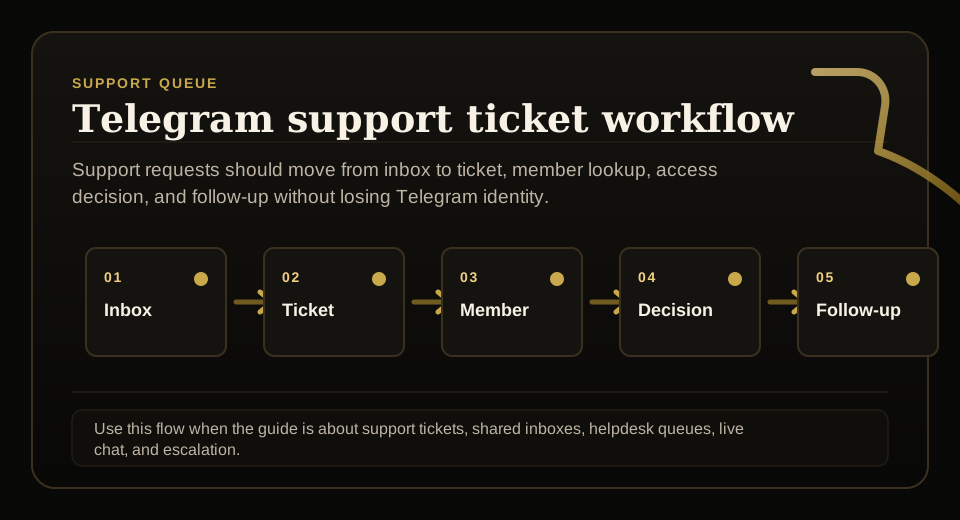
Use this guide when support requests, tickets, shared inboxes, live chat, or escalation rules need to stay tied to membership status before access changes.
Next read: Telegram Group Management Dashboard: What Paid Communities Need.
Telegram Group Management Tools: A Use-Case Comparison
This guide stays focused on Telegram community management tools. See Telegram group management tools for the full picture.
How this guide was produced
Every guide is written for the same paid-access workflow: payment evidence, Telegram identity, plan status, support lookup, and expiry enforcement.
Published by KickThemBot from product documentation, launch runbooks, integration tests, and paid-access operating procedures.
Support-operations planning: request intake, ticket state, assignment, SLA, member lookup, Telegram identity, escalation, and access outcome. Automation may assist drafting and page generation; indexed guides are selected for a distinct user job and reviewed against the documented workflow. Claims avoid fake rankings and hidden guarantees.
To help admins make a safer access decision before moving members, payments, invite paths, or expiry rules.
Implementation steps
- List the jobs the community tool must cover: onboarding, moderation, support, engagement, billing visibility, and access control.
- Separate generic community management features from membership source-of-truth features.
- Check how each tool binds Telegram identity to member records, payment evidence, expiry dates, and support notes.
- Run a paid-access test with join approval, renewal reminder, support lookup, expiry, removal, and reactivation.
Separate community tools from access tools
Some tools help admins post, moderate, tag conversations, or measure activity.
Paid communities also need membership records, payment evidence, expiry dates, and removal proof.
Make Telegram identity part of the evaluation
An email, invoice, or CRM note is not enough to know who should enter a Telegram group.
The community management stack should bind Telegram identity to the membership record before access changes.
Check support recovery before launch
Support needs a fast way to see plan, expiry, access code, payment evidence, and current Telegram access status.
Without that view, every renewal or refund question becomes a manual investigation.
Require removal evidence
A paid group should know whether expired members were actually removed.
Removal evidence keeps community management honest when billing status and Telegram state drift apart.
FAQ
What should Telegram community management tools include for paid groups?
They should include onboarding, support lookup, member records, Telegram identity binding, payment evidence, renewal state, access control, expiry handling, and removal proof.
Are moderation tools enough for paid Telegram community management?
No. Moderation tools can help with chat behavior, but paid access still needs membership status, payment evidence, identity binding, support recovery, and expiry enforcement.