Quick takeaways
- Paid Telegram admin software needs member status and support evidence, not only moderation controls.
- Admin handoff is safer when plan, Telegram identity, expiry, and last access action are visible.
- Bot permissions should be tested before relying on invite, approval, reminder, or removal workflows.
- Audit logs and weekly reports turn access decisions into repeatable operations.
Evaluate Telegram group admin software by paid-member records, bot permissions, support lookup, audit logs, renewal queues, and expired-member removal.
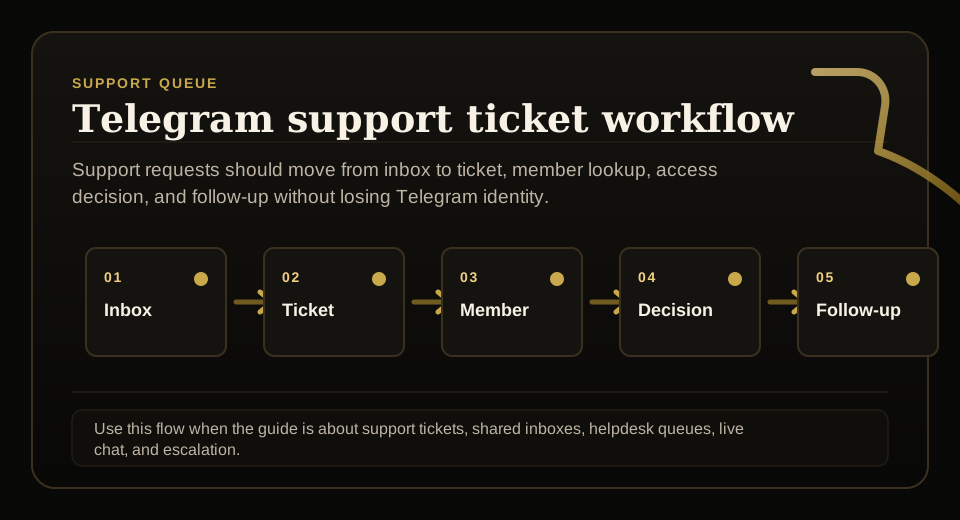
Use this guide when support requests, tickets, shared inboxes, live chat, or escalation rules need to stay tied to membership status before access changes.
Next read: Telegram Admin Dashboard for Paid Groups.
How this guide was produced
Every guide is written for the same paid-access workflow: payment evidence, Telegram identity, plan status, support lookup, and expiry enforcement.
Published by KickThemBot from product documentation, launch runbooks, integration tests, and paid-access operating procedures.
Support-operations planning: request intake, ticket state, assignment, SLA, member lookup, Telegram identity, escalation, and access outcome. Automation may assist drafting and page generation; indexed guides are selected for a distinct user job and reviewed against the documented workflow. Claims avoid fake rankings and hidden guarantees.
To help admins make a safer access decision before moving members, payments, invite paths, or expiry rules.
Implementation steps
- List the admin jobs: approve, invite, support, renew, extend, remove, report, and recover access.
- Confirm the software shows plan, status, Telegram identity, payment source, expiry, and last access action.
- Test bot permissions for invite creation, join approval, messaging, and removal in a private destination.
- Review audit logs and weekly reporting before assigning the workflow to multiple admins.
Separate admin work from moderation work
Moderation tools help keep chat behavior under control. Paid-community admin software also needs to answer who should have access and why.
That means subscriber records, plan state, expiry, payment source, Telegram identity, support lookup, and removal proof should sit close to the admin workflow.
Make admin handoff evidence-based
A new admin should not inherit a private group where access rules live in memory, chat history, or spreadsheets.
The software should show current status, next renewal, exception notes, and the last access action before an admin makes a manual change.
Verify bot permissions
Invite, join approval, reminder, and removal workflows depend on the bot having the correct role inside the Telegram destination.
A pre-launch permission check prevents the admin dashboard from showing actions that cannot actually happen in Telegram.
Use reports for weekly control
Paid groups need regular review of expiring members, failed payments, manual extensions, support recoveries, and removals.
A weekly report helps admins catch access drift before it becomes revenue leakage or member confusion.
FAQ
What should Telegram group admin software include for a paid group?
It should include member status, Telegram identity, plan, expiry, payment source, support lookup, bot-permission checks, audit logs, renewal queues, and expired-member removal.
Is Telegram group admin software the same as a moderation bot?
No. Moderation bots focus on chat behavior, while paid-group admin software focuses on access, memberships, renewals, support evidence, and removal decisions.