Quick takeaways
- A helpdesk bot should connect every request to membership status and Telegram identity before access changes.
- Support tickets are safer when they show payment evidence, plan, expiry, owner, status, and last access event together.
- Automation can collect context, but refunds, wrong-account fixes, manual extensions, and removals need explicit support rules.
- The final reply should leave a support note and a recorded access outcome for future renewal, billing, or moderation questions.
Use a Telegram helpdesk bot for paid membership support without separating chat replies from membership status, Telegram identity, renewal state, and support notes.
Use this guide when support requests, tickets, shared inboxes, live chat, or escalation rules need to stay tied to membership status before access changes.
Next read: Telegram Customer Support for Paid Communities.
How this guide was produced
Every guide is written for the same paid-access workflow: payment evidence, Telegram identity, plan status, support lookup, and expiry enforcement.
Published by KickThemBot from product documentation, launch runbooks, integration tests, and paid-access operating procedures.
Support-operations planning: request intake, ticket state, assignment, SLA, member lookup, Telegram identity, escalation, and access outcome. Automation may assist drafting and page generation; indexed guides are selected for a distinct user job and reviewed against the documented workflow. Claims avoid fake rankings and hidden guarantees.
To help admins make a safer access decision before moving members, payments, invite paths, or expiry rules.
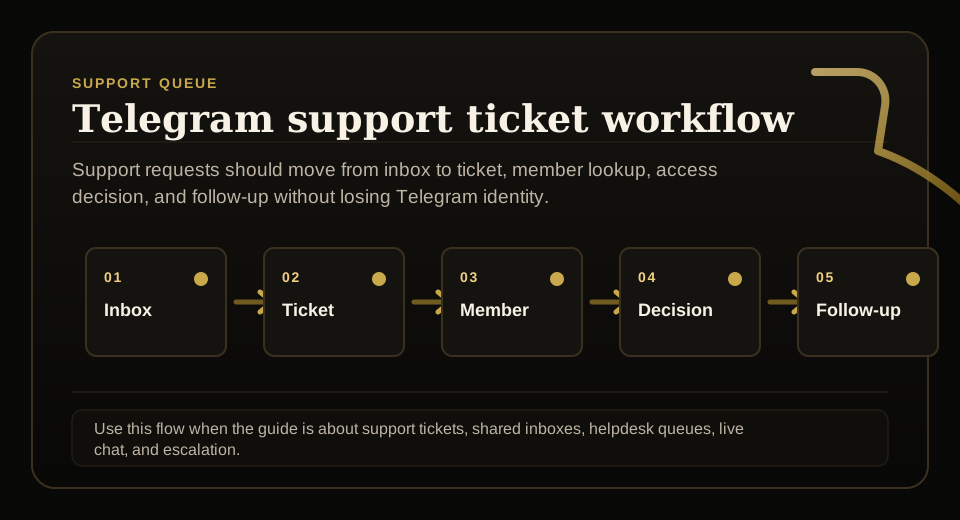
Implementation steps
- Define which cases enter the helpdesk bot: login confusion, expired access, payment confirmation, plan questions, invoice requests, and identity changes.
- Capture requester details, Telegram identity, membership record, plan, payment evidence, current status, and protected destination.
- Set owner, priority, SLA, tags, and routing rules so support can send simple FAQ cases to templates while sending access, billing, and identity changes to a reviewed queue.
- Resolve with a documented answer and access outcome: answer the member and update the membership record when status, expiry, or Telegram identity changes.
Make the helpdesk workflow visible
Paid Telegram support breaks when requests stay inside scattered chats, screenshots, or private admin memory.
A useful helpdesk bot gives each request a visible state, owner, priority, and next action before anyone changes group access.
Start from Telegram identity and member status
Most paid-community support cases are really access-state questions: who paid, which Telegram account is attached, and whether the member should currently be inside.
Support should see the buyer record, Telegram ID or username history, plan, expiry date, payment source, and last access event together.
Route risky cases to the right owner
Low-risk questions can use templates, but access recovery, refunds, chargebacks, wrong-account fixes, and manual extensions need stronger review.
The routing rule should explain when support can send simple FAQ cases to templates while sending access, billing, and identity changes to a reviewed queue.
Close with an access outcome
A ticket is not finished when the member receives a reply. It is finished when the membership state and Telegram access outcome match the evidence.
The close note should show whether support chose to answer the member and update the membership record when status, expiry, or Telegram identity changes.
FAQ
What is a Telegram helpdesk bot?
It helps collect and organize Telegram support requests, but paid groups should connect it to membership status before changing access.
Should a helpdesk bot replace membership records?
No. It should sit beside the membership source of truth so support can answer faster without granting, extending, or removing access from incomplete context.