Quick takeaways
- Support the member intent: check membership status, request access help, update identity details, find renewal options, and submit support context.
- Verify identity before account-specific action: Telegram user ID, member email, project, membership ID, and destination group or channel before any access change.
- Route evidence into review: membership state, payment evidence, access-code redemption, support note, renewal status, and unresolved needs-review flags.
- Keep automation bounded: avoid allowing self-service screens to grant, extend, cancel, or remove access from unverified member input alone.
Use Telegram member self-service portal to give paid Telegram members clearer support paths while keeping account-specific access, billing, identity, renewal, and escalation decisions tied to verified membership evidence.
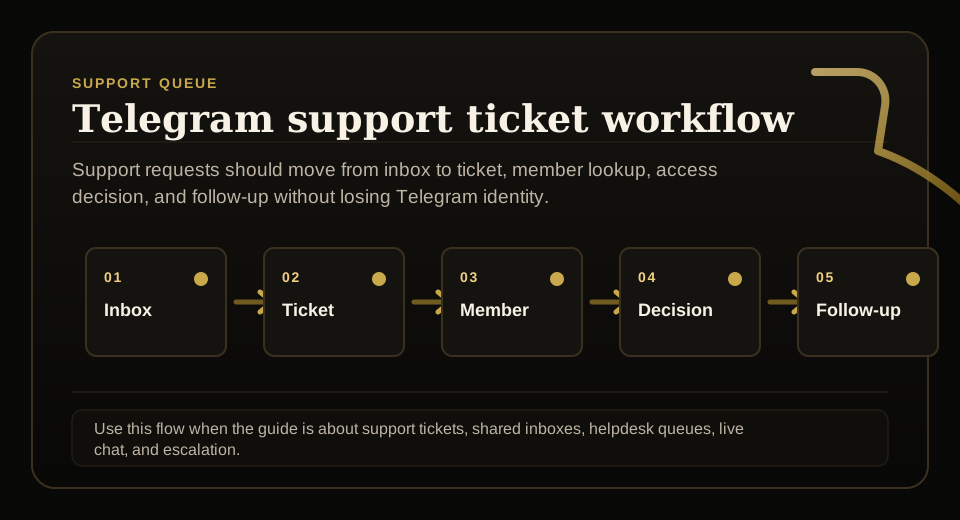
Use this guide when support requests, tickets, shared inboxes, live chat, or escalation rules need to stay tied to membership status before access changes.
Next read: Telegram Paid Group Member Portal: Status and Recovery.
How this guide was produced
Every guide is written for the same paid-access workflow: payment evidence, Telegram identity, plan status, support lookup, and expiry enforcement.
Published by KickThemBot from product documentation, launch runbooks, integration tests, and paid-access operating procedures.
Support-operations planning: request intake, ticket state, assignment, SLA, member lookup, Telegram identity, escalation, and access outcome. Automation may assist drafting and page generation; indexed guides are selected for a distinct user job and reviewed against the documented workflow. Claims avoid fake rankings and hidden guarantees.
To help admins make a safer access decision before moving members, payments, invite paths, or expiry rules.
Implementation steps
- Define what the member is trying to do with member self-service portal: check membership status, request access help, update identity details, find renewal options, and submit support context.
- Ask for the minimum identity evidence needed before changing anything: Telegram user ID, member email, project, membership ID, and destination group or channel before any access change.
- Send evidence to the right review queue: membership state, payment evidence, access-code redemption, support note, renewal status, and unresolved needs-review flags.
- Escalate or stop when the boundary applies: avoid allowing self-service screens to grant, extend, cancel, or remove access from unverified member input alone.
Make the request specific
A member portal or help flow should not ask broad questions and then guess the answer. It should identify the job the member is trying to complete.
For this workflow, the member intent is to check membership status, request access help, update identity details, find renewal options, and submit support context.
Verify before changing access
Public help can answer general questions. Account-specific support needs a stable identity check before any access, billing, or profile state changes.
The identity gate should include Telegram user ID, member email, project, membership ID, and destination group or channel before any access change.
Route evidence to review
Member messages, screenshots, receipts, and self-service forms are evidence. They are not official access truth until the source of truth or an approved reviewer confirms the decision.
The workflow should preserve membership state, payment evidence, access-code redemption, support note, renewal status, and unresolved needs-review flags.
Keep support answers grounded
Support automation should be useful without inventing policy or payment conclusions. If approved truth is missing, the safest answer is an escalation with a clear summary.
The operating goal is to reduce support workload while keeping access changes tied to KTB or owner-approved membership truth, and the page should avoid allowing self-service screens to grant, extend, cancel, or remove access from unverified member input alone.
FAQ
What is Telegram member self-service portal?
It is a member-facing portal for paid Telegram communities where members can check status, submit support requests, and provide context without overriding access truth.
Can member self-service grant Telegram access automatically?
Only when the membership source of truth, payment evidence, Telegram identity, and destination rules already prove the access decision. Otherwise self-service should collect context and route the case to support review.