Quick takeaways
- Payment confirmation should create or update a membership record.
- External checkout and in-Telegram checkout need separate policy review.
- Access codes are useful when the purchase happens on a website.
- Never unlock access only because a redirect page loaded.
How to think about Telegram payment bots, external checkout, Stripe handoff, access codes, and membership updates for paid communities.
Use this guide when checkout, webhooks, renewals, invoices, or external payment evidence must become a reliable Telegram access event.
Next read: How Access Codes Link Outside Sales to Telegram Access.
How this guide was produced
Every guide is written for the same paid-access workflow: payment evidence, Telegram identity, plan status, support lookup, and expiry enforcement.
Published by KickThemBot from product documentation, launch runbooks, integration tests, and paid-access operating procedures.
Payment-handoff planning: Stripe, crypto, website checkout, server-side events, access-code redemption, renewals, and support evidence. Automation may assist drafting and page generation; indexed guides are selected for a distinct user job and reviewed against the documented workflow. Claims avoid fake rankings and hidden guarantees.
To help admins make a safer access decision before moving members, payments, invite paths, or expiry rules.
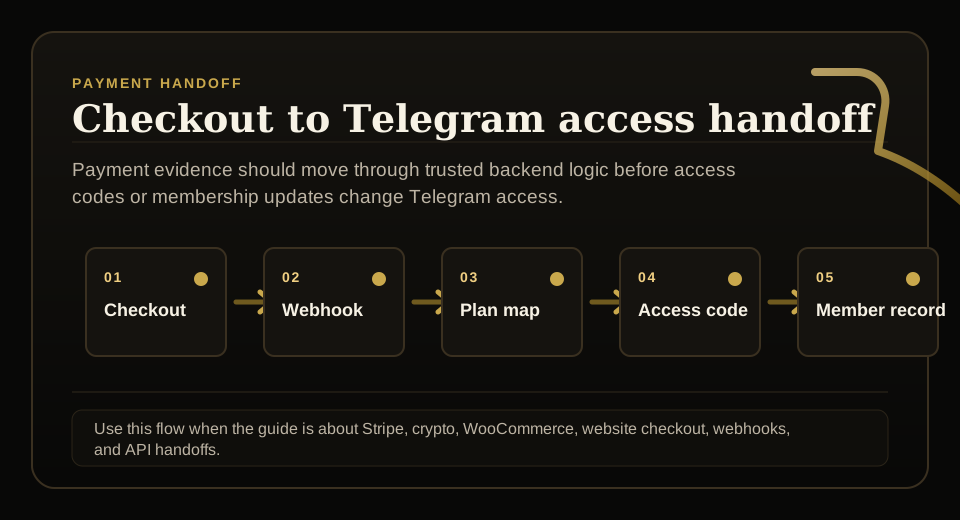
The payment event is the start
A payment bot should not stop at collecting money. The confirmed payment should update the member record, plan, expiry, and access route.
This is what connects revenue to Telegram access. Without it, the admin still has to translate payment records into member actions by hand.
Stripe and external checkout
Many communities prefer website checkout for card payments, bundles, invoices, and purchase history. In that model, the website can create an access code after payment and the buyer redeems it in Telegram.
That flow keeps the checkout system and Telegram access system connected without exposing API keys in frontend code.
Review Telegram payment policy before launch
Telegram payment rules can depend on whether the product is digital, where the purchase happens, and what client the member uses. Do not write public copy that promises one payment method works in every scenario unless the launch flow has been reviewed.
For a safer public message, describe supported checkout workflows and ask teams to verify their exact use case before going live.
Payment security basics
Keep API keys server side. Confirm payment through backend events. Bind access codes to buyer identity where possible. Keep expiry and cancellation logic in the membership record.
These basics matter more than a flashy checkout screen.
FAQ
Can Stripe be used for every Telegram payment?
Not necessarily. Payment options depend on product type and Telegram rules. External website checkout and in-Telegram payment flows should be reviewed separately.
What happens after payment?
The safest setup records the payment, creates or updates a membership, and grants access only after the payment event is confirmed.