Quick takeaways
- WooCommerce should call membership APIs only from trusted backend code.
- First purchases can create access codes for Telegram redemption.
- Renewals should update an existing membership record where possible.
- Plan IDs, buyer identity, and payment source need consistent mapping.
How WooCommerce and WordPress checkout can hand off paid buyers to Telegram access using backend API calls, access codes, and membership updates.
Use this guide when checkout, webhooks, renewals, invoices, or external payment evidence must become a reliable Telegram access event.
Next read: How Access Codes Link Outside Sales to Telegram Access.
WooCommerce Telegram Membership Integration
This guide stays focused on WooCommerce Telegram access. See WooCommerce and WordPress integration for the full picture.
How this guide was produced
Every guide is written for the same paid-access workflow: payment evidence, Telegram identity, plan status, support lookup, and expiry enforcement.
Published by KickThemBot from product documentation, launch runbooks, integration tests, and paid-access operating procedures.
Payment-handoff planning: Stripe, crypto, website checkout, server-side events, access-code redemption, renewals, and support evidence. Automation may assist drafting and page generation; indexed guides are selected for a distinct user job and reviewed against the documented workflow. Claims avoid fake rankings and hidden guarantees.
To help admins make a safer access decision before moving members, payments, invite paths, or expiry rules.
Implementation steps
- Map each WooCommerce product or variation to the correct Telegram membership plan.
- Store the project API key only in trusted server-side WordPress or backend configuration.
- Create an access code after the WooCommerce payment is confirmed.
- Send the buyer a clear Telegram redemption path and keep the order-to-membership audit trail.
The checkout-to-access handoff
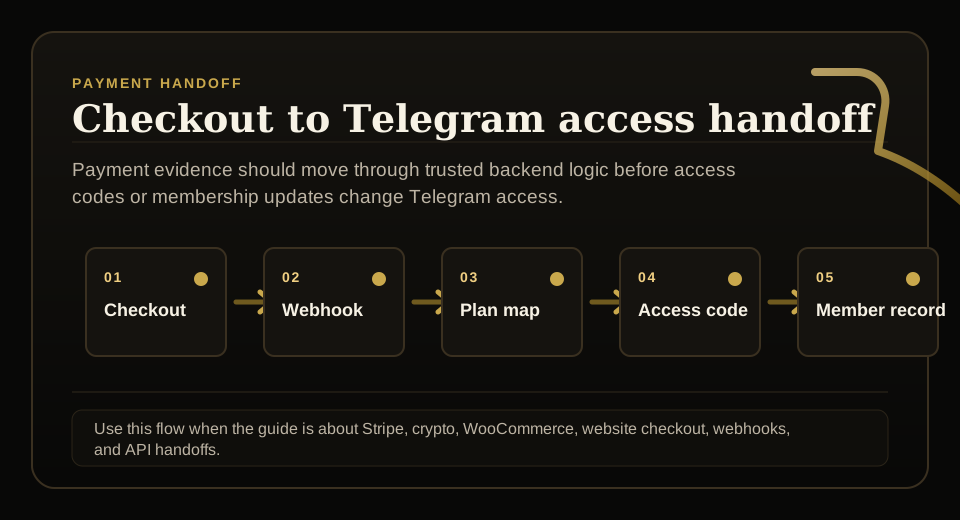
A website order should not simply display a Telegram link after checkout. The safer handoff is payment confirmation, backend API call, access-code creation or membership update, then a clear route for the buyer to redeem access.
That sequence keeps payment, buyer identity, and Telegram access connected.
Keep API keys server side
Project API keys belong in server-side WordPress or backend code, not in frontend JavaScript, browser logs, or page templates.
The website should create access codes only after it trusts the order status and payment event.
Map products to plans
Every sellable WooCommerce product should map to the correct Telegram membership plan and duration. If bundles include multiple Telegram destinations, that mapping must be explicit.
Bad plan mapping creates support tickets that are hard to diagnose later.
Use renewals to update access
A renewal should extend or update the existing membership instead of creating a duplicate identity whenever possible.
Support should be able to see website payment source, expiry date, and whether Telegram access should currently be active.
FAQ
Can WooCommerce sell access to a Telegram group?
Yes, if the backend confirms payment and then creates an access code or updates a membership record before the buyer receives Telegram access.
Should the API key be stored in WordPress frontend code?
No. API keys should stay in trusted server-side code or secure environment configuration.