Quick takeaways
- Stripe checkout should update membership status only after trusted backend confirmation.
- Website checkout and in-Telegram digital purchases need separate policy review.
- Access codes can connect a Stripe customer to the correct Telegram identity.
- Renewal, cancellation, refund, and failed-payment events should all update access state.
Plan a Stripe Telegram subscription bot workflow with website checkout, backend webhooks, access codes, membership status, renewals, and removals.
Use this guide when checkout, webhooks, renewals, invoices, or external payment evidence must become a reliable Telegram access event.
Next read: Stripe Webhook to Telegram Access: Backend Membership Handoff.
Stripe Telegram Subscription Bot
This guide stays focused on Stripe Telegram subscription bot. See Stripe subscriptions for Telegram for the full picture.
How this guide was produced
Every guide is written for the same paid-access workflow: payment evidence, Telegram identity, plan status, support lookup, and expiry enforcement.
Published by KickThemBot from product documentation, launch runbooks, integration tests, and paid-access operating procedures.
Payment-handoff planning: Stripe, crypto, website checkout, server-side events, access-code redemption, renewals, and support evidence. Automation may assist drafting and page generation; indexed guides are selected for a distinct user job and reviewed against the documented workflow. Claims avoid fake rankings and hidden guarantees.
To help admins make a safer access decision before moving members, payments, invite paths, or expiry rules.
Implementation steps
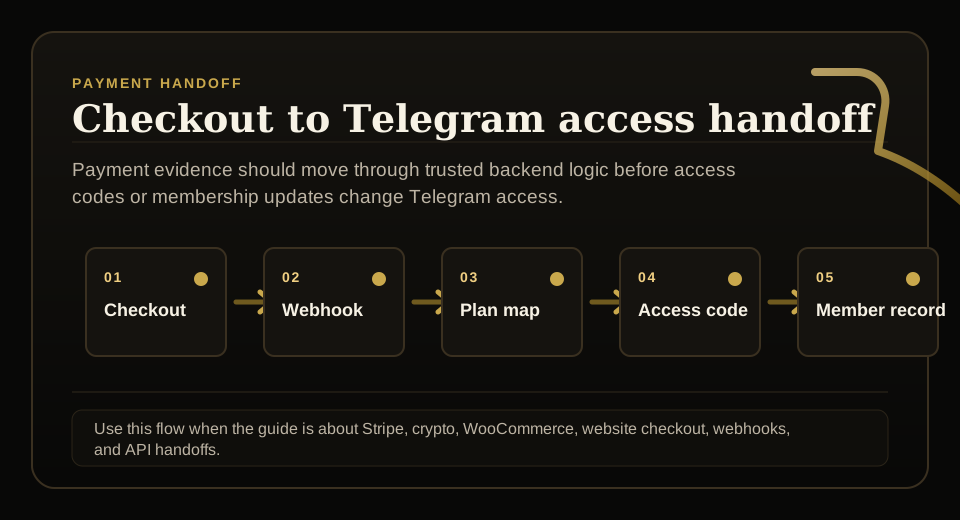
- Map each Stripe product or price to the correct Telegram membership plan.
- Handle checkout completion and subscription events from trusted backend code.
- Create an access code or membership update only after the payment state is confirmed.
- Test renewal, failed payment, cancellation, refund, expiry, and removal before launch.
Separate Stripe checkout from Telegram access
Stripe can confirm a customer paid. The Telegram membership system still needs to know which plan, duration, identity, destination, and expiry rule applies.
For public copy, keep website checkout separate from in-Telegram digital-goods checkout because Telegram payment rules can differ by surface and product type.
Use webhooks for access state
The backend should listen for trusted Stripe events and translate them into membership changes. A browser redirect page should not be the proof that unlocks a private group.
Important events include first payment, renewal, failed payment, cancellation, refund, and dispute review.
See Stripe's official webhook documentation for event verification and best practices: https://stripe.com/docs/webhooks
Bridge into Telegram with access codes
After Stripe confirms payment, the backend can create a limited access code. The buyer redeems it in Telegram, which connects the Stripe purchase to the Telegram user.
That is safer than sending every buyer the same invite link.
Keep support lookup complete
Support should see Stripe source, plan, subscription state, access-code redemption, Telegram identity, expiry, reminders, and access outcome.
This makes Stripe a payment source inside the membership workflow rather than a separate truth that admins reconcile by hand.
FAQ
Can Stripe power a Telegram subscription bot?
Stripe can power website or backend checkout flows, and the membership bot can grant Telegram access after trusted payment confirmation. In-Telegram digital goods should be reviewed separately.
Should Stripe checkout redirect straight to a Telegram invite link?
For paid access, a backend-confirmed access code or membership update is safer than exposing a reusable invite link after checkout.