Quick takeaways
- A renewal should extend the existing membership when possible, not create a confusing duplicate member.
- The backend should confirm payment and map the website product to the correct membership plan.
- Support evidence should include payment source, plan, old expiry, new expiry, and Telegram identity.
- Renewal updates should account for grace, cancellation, reactivation, and removal timing.
Update Telegram membership access after a website renewal with trusted backend confirmation, plan mapping, expiry extension, support evidence, and removal-state checks.
Use this guide when checkout, webhooks, renewals, invoices, or external payment evidence must become a reliable Telegram access event.
Next read: Telegram Recurring Payments for Paid Groups: Access Comes After Status.
How this guide was produced
Every guide is written for the same paid-access workflow: payment evidence, Telegram identity, plan status, support lookup, and expiry enforcement.
Published by KickThemBot from product documentation, launch runbooks, integration tests, and paid-access operating procedures.
Payment-handoff planning: Stripe, crypto, website checkout, server-side events, access-code redemption, renewals, and support evidence. Automation may assist drafting and page generation; indexed guides are selected for a distinct user job and reviewed against the documented workflow. Claims avoid fake rankings and hidden guarantees.
To help admins make a safer access decision before moving members, payments, invite paths, or expiry rules.
Implementation steps
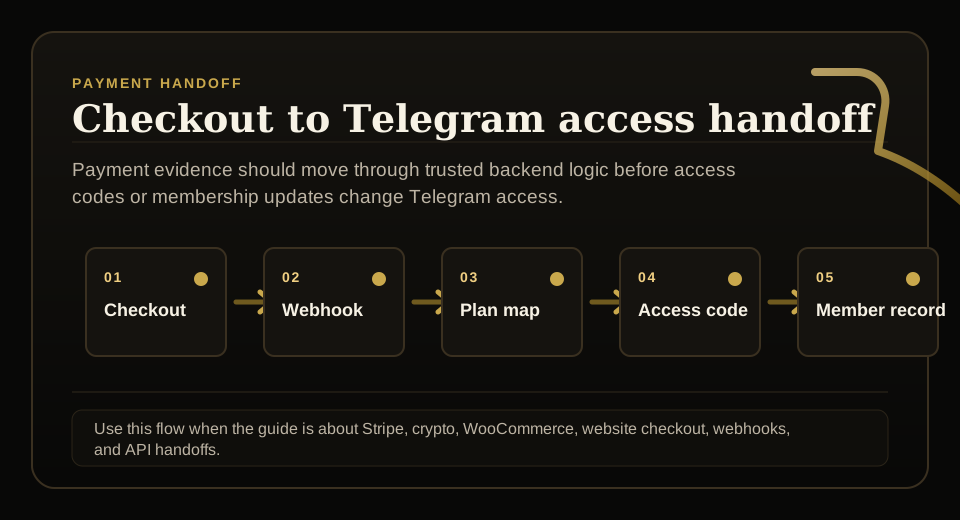
- Receive a trusted website renewal event with order, payment, customer, product, and plan context.
- Look up the existing membership by supported identity signals such as Telegram user ID, email, or website user ID.
- Map the website product to the membership plan and extend or update the member state idempotently.
- Log old expiry, new expiry, payment source, plan, and access outcome for support and reconciliation.
Start from trusted payment confirmation
A renewal should not be based on a public success page alone.
The website backend or payment system should send a trusted event that the membership layer can verify before access is extended.
Find the existing membership
Renewal updates are cleaner when they extend the existing member record instead of creating a second identity.
Lookup can use supported identifiers such as Telegram user ID, email, website user ID, plan, source, and status depending on the integration.
Extend expiry predictably
The update should record old expiry, new expiry, plan duration, payment reference, and whether the member was active, expired, cancelled, or in grace.
That context helps support explain why access was extended, restored, or held for review.
Avoid loose renewal invite links
A renewal should not require a new permanent invite link if the member is already known.
If re-entry is needed, use a controlled code or membership-aware access path that preserves the renewal evidence.
FAQ
How should a website renewal update Telegram membership access?
A trusted backend should confirm the renewal, look up the existing membership, map the product to the correct plan, extend expiry, and log the access outcome.
Should renewals create new Telegram access codes?
Not always. Existing members are often better handled by updating membership state. A controlled code is useful when identity needs to be rebound or re-entry is required.