Quick takeaways
- Paid-community admins need member evidence before changing access.
- Admin bots should support handoff between team members with visible status and logs.
- Bot permissions should be verified in every protected destination.
- Support and removal workflows should be repeatable instead of hidden in chat history.
Evaluate a Telegram admin bot for groups by admin handoff, member lookup, plan status, renewal queues, bot permissions, support evidence, and removal logs.
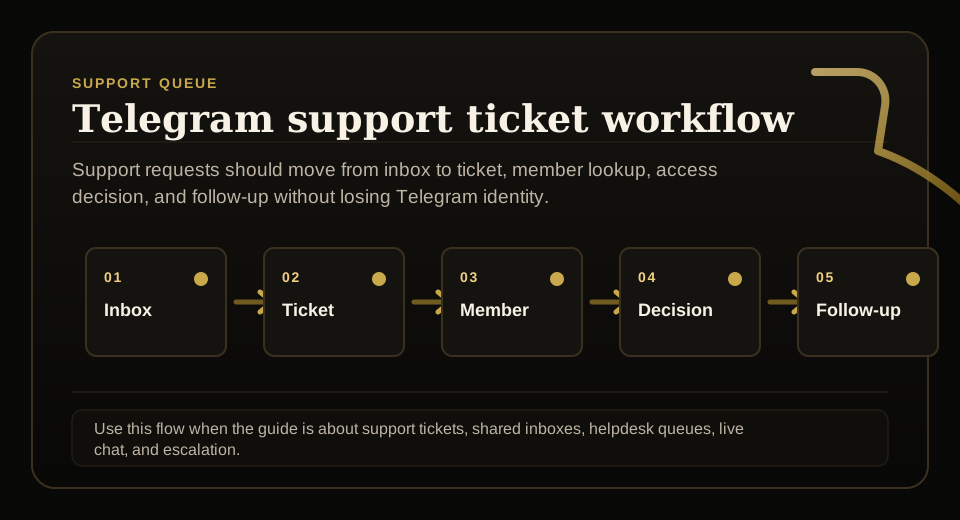
Use this guide when support requests, tickets, shared inboxes, live chat, or escalation rules need to stay tied to membership status before access changes.
Next read: Telegram Group Admin Software for Paid Communities.
How this guide was produced
Every guide is written for the same paid-access workflow: payment evidence, Telegram identity, plan status, support lookup, and expiry enforcement.
Published by KickThemBot from product documentation, launch runbooks, integration tests, and paid-access operating procedures.
Support-operations planning: request intake, ticket state, assignment, SLA, member lookup, Telegram identity, escalation, and access outcome. Automation may assist drafting and page generation; indexed guides are selected for a distinct user job and reviewed against the documented workflow. Claims avoid fake rankings and hidden guarantees.
To help admins make a safer access decision before moving members, payments, invite paths, or expiry rules.
Implementation steps
- List the admin actions that the bot must support: invite, approve, extend, remove, restore, report, and audit.
- Confirm which membership fields are visible before an admin changes access.
- Test bot permissions and admin role boundaries inside the protected group.
- Review audit logs, support lookup, and weekly admin queues before launch.
Design for admin handoff
Paid Telegram groups often outgrow one admin.
An admin bot should show plan, status, expiry, Telegram identity, payment source, and recent actions so the next admin can make the same decision.
Set permission boundaries
Not every admin should be able to restore access, extend time, or remove paid members.
The workflow should make sensitive actions deliberate and visible.
Use renewal and support queues
Admins need a view of expiring members, failed payments, manual extensions, unresolved recoveries, and failed removals.
A queue is safer than waiting for members to complain in chat.
Keep access logs
Access logs make support faster and reduce disputes.
They also help the team find stale grace periods, repeated manual fixes, and removal failures.
FAQ
What is the best Telegram admin bot for paid groups?
For paid groups, prioritize an admin bot that shows membership state, support lookup, renewal queues, bot permissions, audit logs, expiry, removal, and reactivation evidence.
Can a Telegram admin bot replace a support dashboard?
Only if it exposes enough membership evidence. Paid access support usually needs plan, payment source, Telegram identity, status, expiry, and last access action.