Quick takeaways
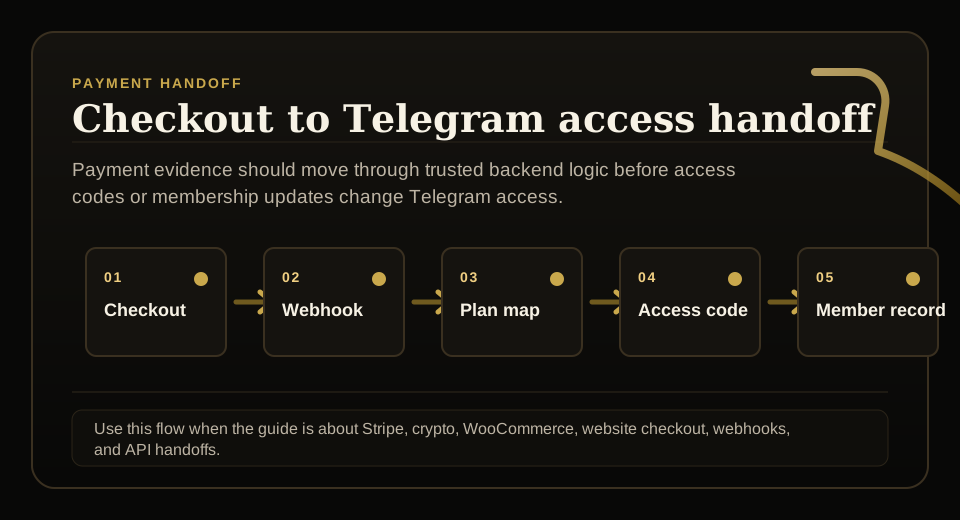
- Plan IDs should be mapped before checkout events create access codes or membership updates.
- Stripe products, WooCommerce products, Telegram-native checkout, and internal plans need one reviewed mapping.
- Support should see the human plan name and the technical plan reference.
- A plan-sync check should run before pricing changes, migrations, and public launches.
Check whether Stripe, WooCommerce, website checkout, access codes, and Telegram membership plans stay mapped before paid access breaks.
Use this guide when checkout, webhooks, renewals, invoices, or external payment evidence must become a reliable Telegram access event.
Next read: Telegram Membership Webhook Checklist for Stripe and Website Checkout.
How this guide was produced
Every guide is written for the same paid-access workflow: payment evidence, Telegram identity, plan status, support lookup, and expiry enforcement.
Published by KickThemBot from product documentation, launch runbooks, integration tests, and paid-access operating procedures.
Payment-handoff planning: Stripe, crypto, website checkout, server-side events, access-code redemption, renewals, and support evidence. Automation may assist drafting and page generation; indexed guides are selected for a distinct user job and reviewed against the documented workflow. Claims avoid fake rankings and hidden guarantees.
To help admins make a safer access decision before moving members, payments, invite paths, or expiry rules.
Implementation steps
- Export the current product, price, plan, duration, and protected-destination mapping.
- Compare website checkout products, Stripe prices, Telegram-native plans, and membership API plan IDs.
- Run test purchases or simulated events for monthly, quarterly, yearly, lifetime, and manual paths.
- Verify that access code duration, renewal extension, support lookup, and removal dates match the expected plan.
Plan sync affects real access
A plan mapping bug is not just a reporting problem. It can grant the wrong channel, wrong duration, wrong tier, or no access after a valid payment.
The safest setup treats plan sync as a launch gate before ads, pricing pages, or migrations go live.
Compare every plan source
Paid Telegram stacks often have plan names in a website product, Stripe price, bot checkout menu, internal dashboard, access-code payload, and support notes.
Those names can drift unless one source records the canonical plan ID, duration, active status, and protected destinations.
Test the plan lifecycle
A useful plan-sync test covers first purchase, renewal, failed payment, cancellation, manual extension, upgrade, downgrade, and support recovery.
Each test should prove that membership status, expiry date, reminders, and removal behavior match the intended plan.
Recheck after pricing changes
Pricing changes are a common moment for plan drift. A new price may be live while an old internal plan ID still controls access.
After any pricing update, compare real checkout output against the membership record and Telegram access result.
FAQ
What is Telegram membership plan sync?
It is the process of making sure checkout products, Stripe prices, internal plan IDs, access-code duration, protected destinations, and support records all describe the same membership offer.
When should paid Telegram admins check plan sync?
Check it before launch, before migrations, after pricing changes, after adding plans, and whenever support sees access duration or destination mismatches.