Quick takeaways
- Connected-account events need routing before they update Telegram access.
- Each event should map to account, project, plan, buyer, membership, and protected destination.
- Webhook ownership, retries, idempotency, and support logs matter more than provider branding.
- A connected-account failure should not create loose invite links or cross-project access.
Plan Stripe Connect webhook routing, connected-account ownership, membership updates, access-code creation, and support logging for Telegram membership SaaS workflows.
Use this guide when checkout, webhooks, renewals, invoices, or external payment evidence must become a reliable Telegram access event.
Next read: Stripe Webhook to Telegram Access: Backend Membership Handoff.
How this guide was produced
Every guide is written for the same paid-access workflow: payment evidence, Telegram identity, plan status, support lookup, and expiry enforcement.
Published by KickThemBot from product documentation, launch runbooks, integration tests, and paid-access operating procedures.
Payment-handoff planning: Stripe, crypto, website checkout, server-side events, access-code redemption, renewals, and support evidence. Automation may assist drafting and page generation; indexed guides are selected for a distinct user job and reviewed against the documented workflow. Claims avoid fake rankings and hidden guarantees.
To help admins make a safer access decision before moving members, payments, invite paths, or expiry rules.
Implementation steps
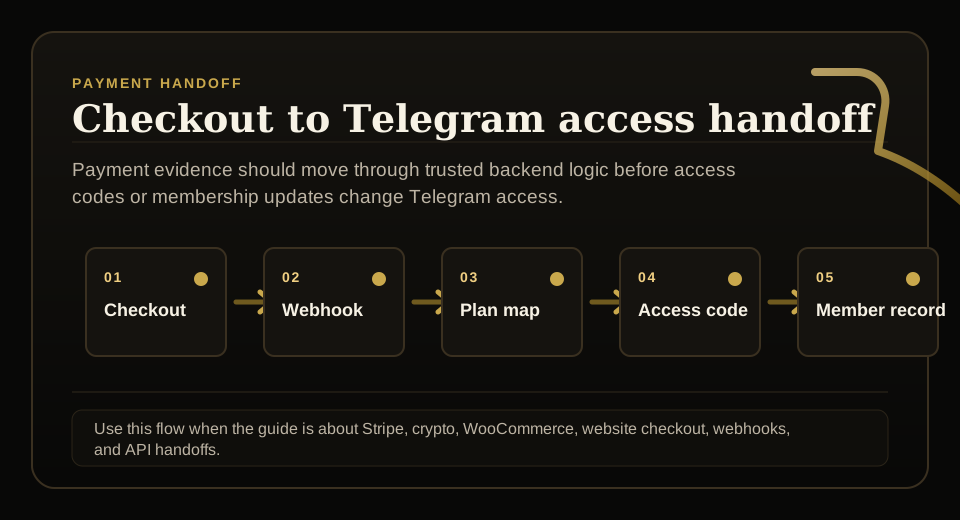
- Identify whether the webhook event belongs to platform checkout, a connected account, or a specific project.
- Verify the event and map product or price to the correct membership plan.
- Create an access code, update membership, renew access, cancel access, or open support review with idempotency.
- Log account, project, event ID, plan mapping, member lookup, and final access outcome.
Route connected-account events first
A platform-level webhook can receive events from many sellers or projects. The handler must decide which account and project owns the event before touching Telegram access.
Without routing, one seller's payment event can become another project's support problem.
See Stripe's official Connect webhook documentation for routing events to the correct connected account: https://stripe.com/docs/connect/webhooks
Map price to membership plan
Stripe product or price metadata should map to the internal membership plan that controls Telegram destinations and duration.
If the mapping is missing or inactive, the safer outcome is support review rather than automatic invite delivery.
Make access updates idempotent
Connected-account events can retry like any webhook. The handler should know whether an event already created a code, renewed access, or cancelled membership.
That prevents duplicate codes, double renewals, and conflicting removals.
Expose support-safe ownership
Support should see connected account, project, payment reference, buyer, plan, membership, destination, and final access result without seeing raw secrets.
That evidence is essential when a seller, buyer, or admin asks why access changed.
FAQ
How should Stripe Connect webhooks map to Telegram access?
The webhook should verify the event, identify the connected account and project, map the product or price to a membership plan, then create an access code or update membership state idempotently.
What is risky about Stripe Connect for Telegram membership platforms?
The main risks are cross-project routing mistakes, missing plan mappings, duplicate webhook events, exposed secrets, and support logs that do not explain which account owned the access decision.